
Role:
Product Design Intern @ Oracle
Timeframe:
7 months
Contribution:
UX Design, Prototyping
Tools:
Figma
MySQL Studio

Overview
MySQL Studio is Oracle’s new integrated platform that unifies MySQL’s core capabilities with built-in AI to make data exploration faster, intuitive, and accessible to more users.
My role was to collaborate with product managers and engineers to enhance usability, streamline workflows, and broaden accessibility.
My impact on the project was broadening accessibility, improving onboarding, strengthening design consistency, and establishing a scalable foundation for future growth.
See more at: Oracle MySQL AI Blog
Increase in speed of design to development
Faster task completion for first-time users
Enterprise users
Problem
The challenge:
How do we introduce AI, scale complex workflows, and modernize data exploration without overwhelming users or hiding essential tools?
Users
My design decisions needed to bridge two distinct groups: depth for technical experts, approachability for non-technical newcomers.
Persona | Data Engineer | Application Developer | Business Ops |
|---|---|---|---|
Goals | Write and run complex queries. Manage large datasets. | Build and maintain applications with stable DB access. | Gain insights without SQL expertise or technical knowledge. |
Pain Points | Traditional tools are slow; limited flexibility. | Switching between dev tools and DB slows workflow. | Intimidated by technical workflows. |
Needs | Powerful SQL environment with scalable tools. | Integrated workflows and schema management support. | Conversational AI and easy onboarding |
Process
1. Identify
Identified usability issues across MySQL AI platform
Synthesized PM, engineering, and user feedback
2. Ideate & Prototype
Explored multiple layout patterns and interaction models
Created rapid prototypes in Figma
3. Evaluate & Align
Facilitated design reviews
Discussed constraints, trade-offs, and technical feasibility
4. Iterate
Refined hierarchy, flows, and component structure
Ensured alignment with user testing and stakeholder feedback
5. Finalize
Delivered production-ready designs to handoff to front-end developers
Research
I studied frameworks across leading data tools to understand how they handle complexity, multiple results, and visual insights:
Tool | Strengths | Weaknesses |
|---|---|---|
Snowflake | Clear table + collapsible details | Becomes crowded with many panels |
Databricks | Rich visuals, flexible exploration | Overwhelming for new users |
VS Code | Familiar to devs; tab structure | Tab switching interrupts flow |
DuckDB | Clean, minimal | Limited context; raw data only |
Findings: Combine clarity and flexibility, avoid clutter, and ensure scalability for future insights and AI features.
Design solution: Scalable query results
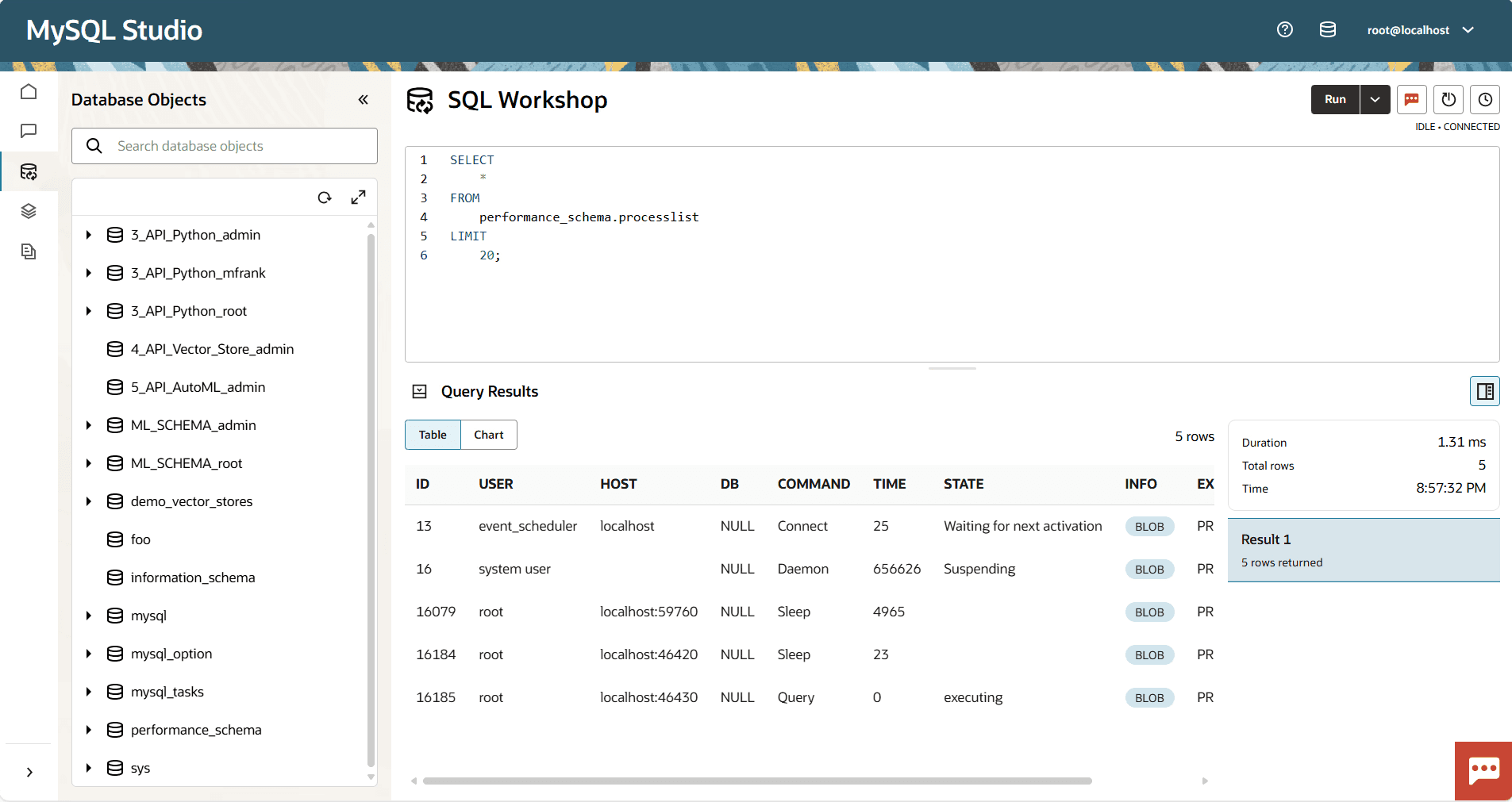
Problem: Original result tables didn’t scale for future features (charts, insights, multi-result sets).
Solution:
Added table/chart selector for instant visualization
Introduced collapsible query details panel for metadata
Designed structure anticipating new insights + future AI summaries
Impact:
Improved data comprehension speed
Enabled future feature expansion with no redesigns
Design solution: Product visual systems
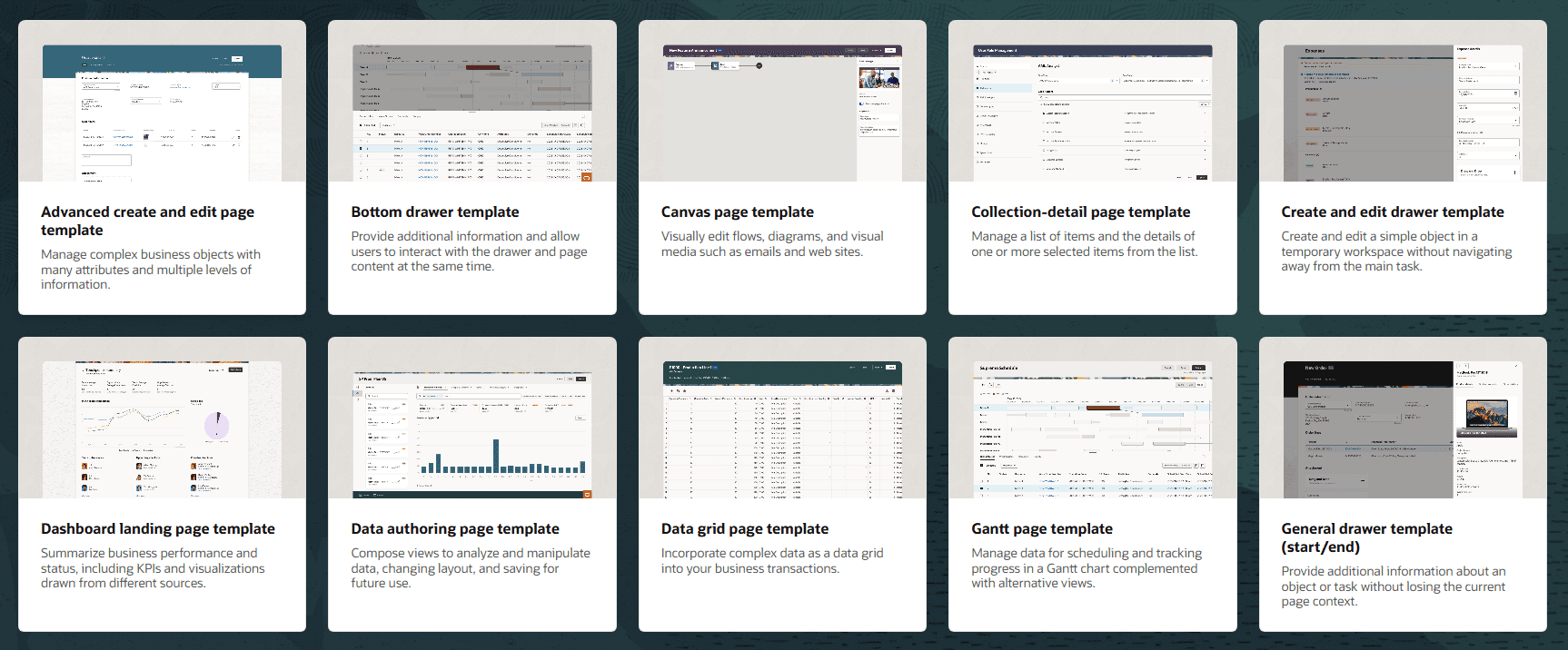
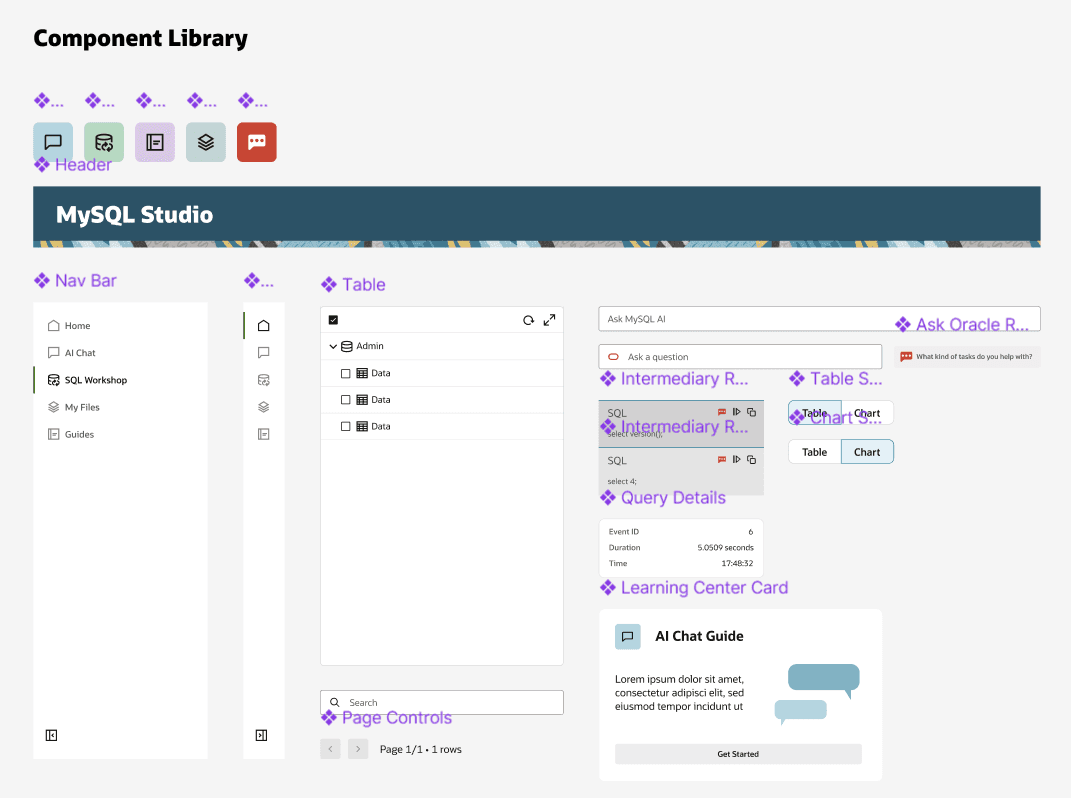
To bring consistency across the product, I designed a reusable template to become the core layout pattern for multiple pages across the product that was aligned with Oracle's company-wide design philosophy Redwood:
Components:
Persistent header (strengthens brand clarity)
Redwood-based left navigation
Drawer with tabular selector (switches content easily)
Main window with icon header (consistent visual cue)
Impact:
Supports recognition over recall
Speeds up onboarding
Creates visual unity across multiple pages and Oracle applications
Design solution: AI integration
A core challenge of designing MySQL Studio was ensuring that AI didn’t feel like a separate add-on, but was a seamless part of the user experience. I addressed this by designing two complementary AI models, each serving a distinct purpose:
Aspect | AI Chat | Ask Oracle |
|---|---|---|
Purpose | Full-page conversational queries | Contextual assistance within workflows |
Interaction Type | Multi-turn, immersive chat | Embedded pop-up, single-turn |
UX Goal | Make interactions feel natural and conversational | Be integrated and invisible within the workflow |
User Benefit | Deep exploration of data with natural language queries | Quick answers, code explanations, and workflow support without leaving the task |
Outcomes
MySQL Studio was a unique challenge: merging AI, complex data workflows, and enterprise design systems into a unified experience. This project deepened my skills in:
Bridging AI innovation with UX principles to serve both technical and non-technical audiences.
Designing scalable systems with reusable components and consistent patterns.
Navigating trade-offs between usability, product goals, and technical constraints.
Facilitating cross-functional design discussions to align diverse perspectives.